Reference photo guide
How to choose strongreference photos
Reference quality decides whether the AI wedding photos look like you. A few simple habits help the system read your face and expression more accurately.
Examples
Please provide three clear half-body photos: front smiling, front neutral, and a slight angle, so facial features and expression can be matched with care.
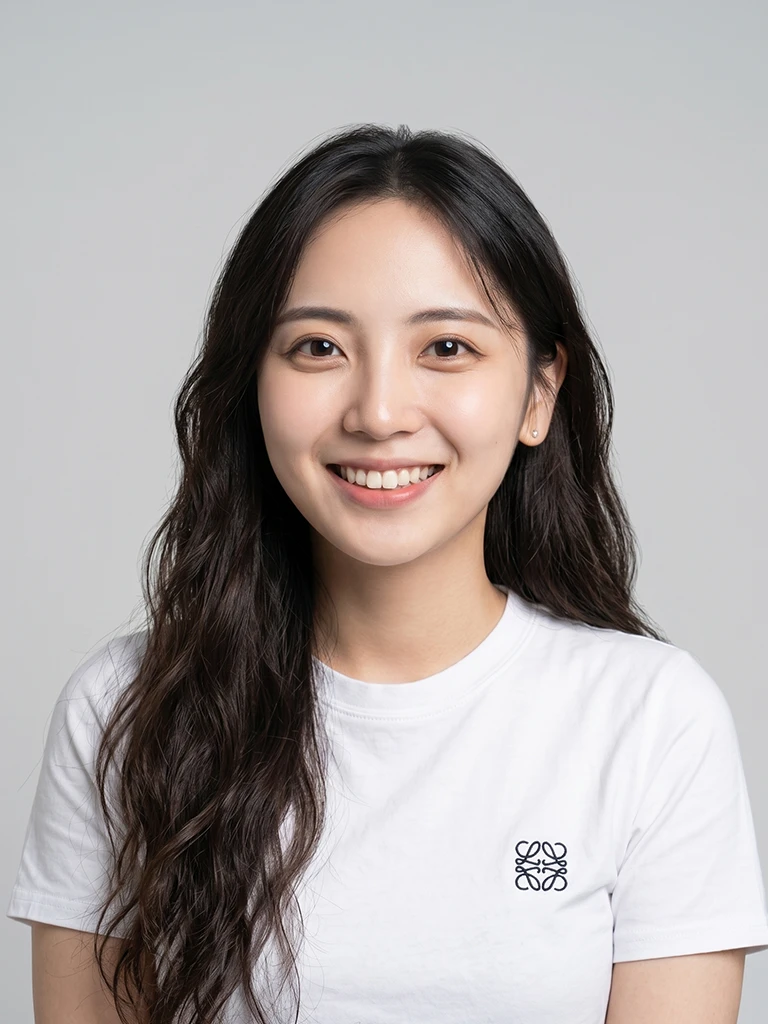
正面(微笑)
面向鏡頭,自然微笑,五官完整入鏡
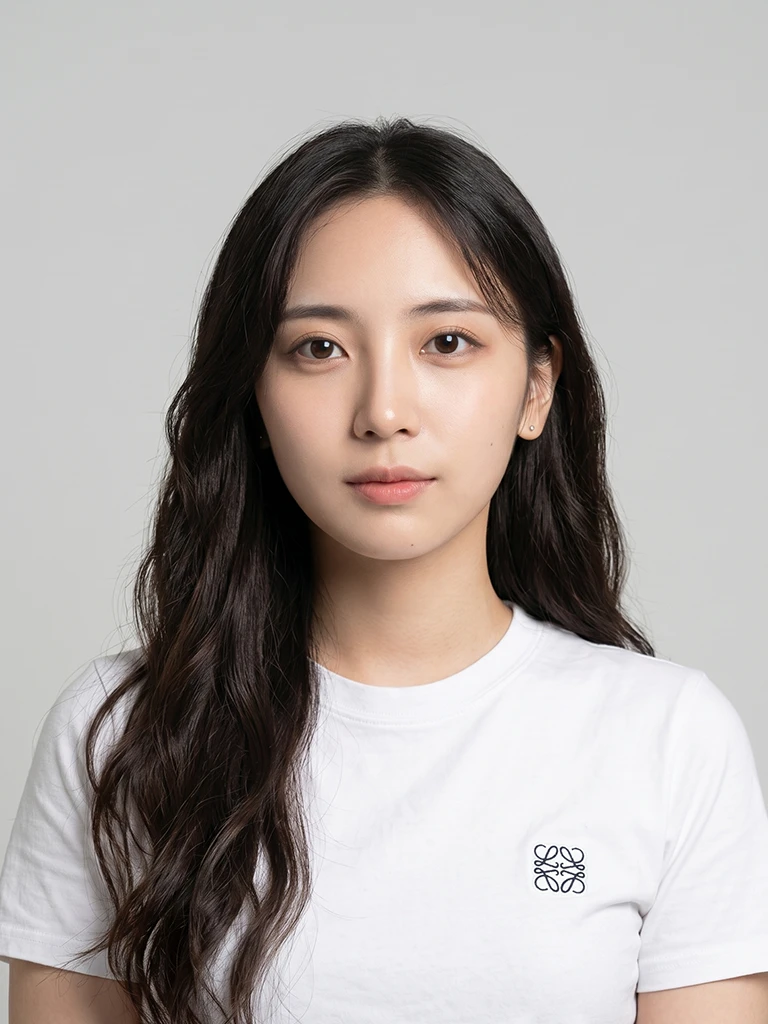
正面(中性)
面向鏡頭,表情自然放鬆,不刻意微笑
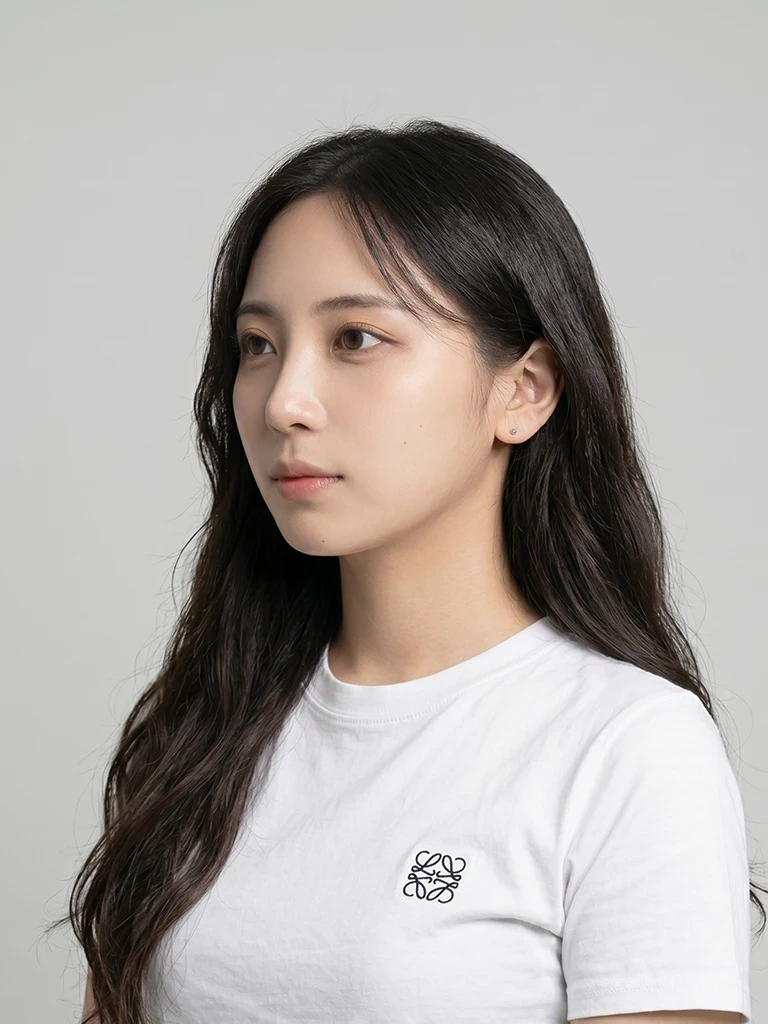
微側
略為轉向一側,保留輪廓且仍清晰看見五官
正面(微笑)
面向鏡頭,自然微笑,五官完整入鏡
正面(中性)
面向鏡頭,表情自然放鬆,不刻意微笑
微側
略為轉向一側,保留輪廓且仍清晰看見五官
Extratips
Small habits that make the result look more natural
What works well
- Choose photos with a clear face and even light, without hard shadows
- Prepare front smiling, front neutral and a slight-angle frame
- Keep a relaxed expression; light everyday makeup is fine
- Use recent photos so the result matches how you look now
- Aim for a resolution above 1024 px
What to avoid
- Avoid heavy filters or edits that change how you actually look
- Avoid group shots, distant frames or a face that is too small in the frame
- Do not wear sunglasses, masks or hats that hide the face
- Avoid blur, strong backlight or noisy low-light images
- Do not upload screenshots with UI, black bars or watermarks
Ready to begin?
Once you know how to pick reference photos, a custom wedding set only takes a few minutes to start.
Start your order